Karta pobytu photo
Take your karta pobytu photo in about a minute, without leaving home.
Drag & drop your photo
or
7,690 photos already prepared for MOS
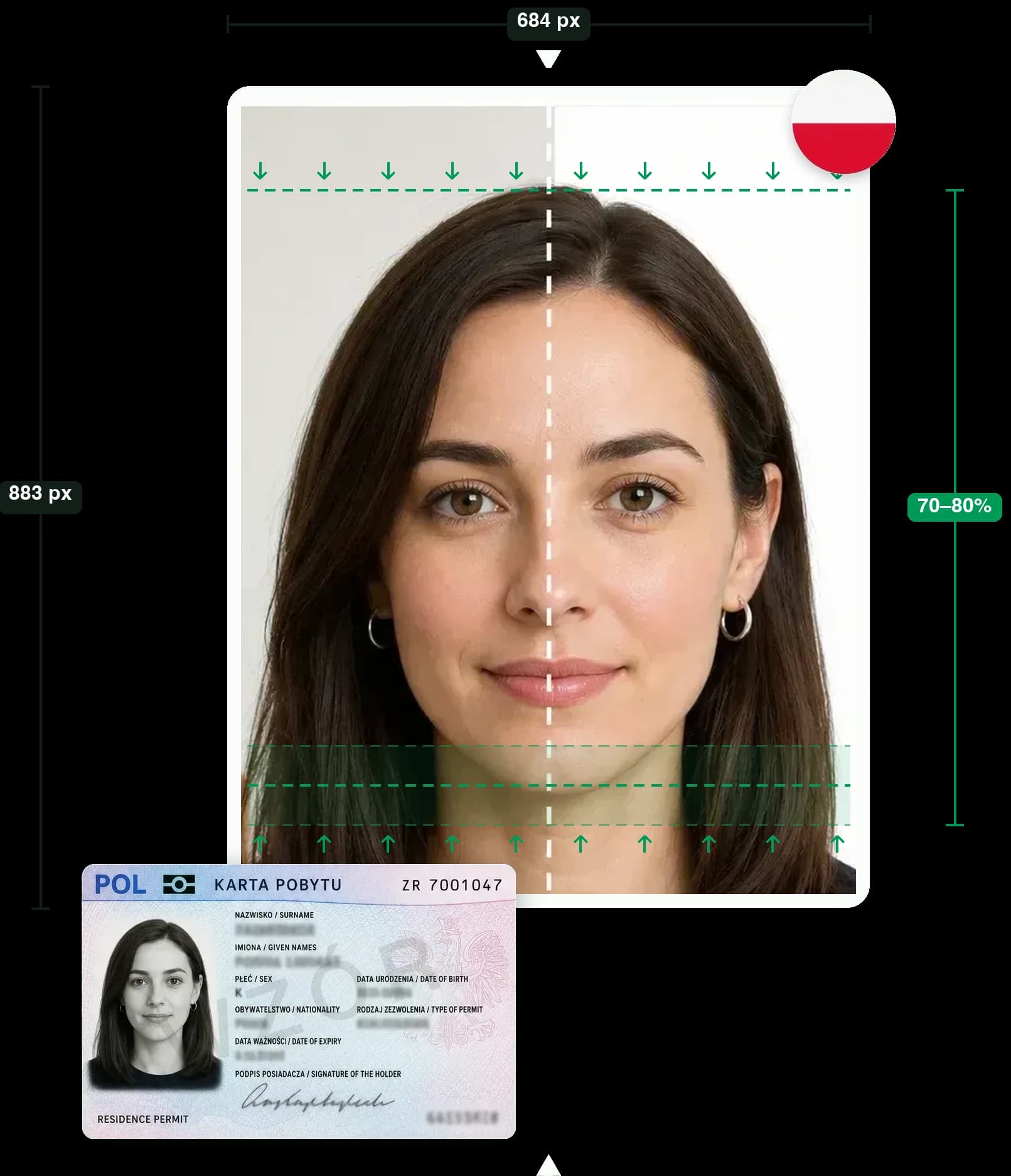
- 684×883 px dimensions
- File size under 2.5 MB
- JPG format
MOS Photo: Karta Pobytu Requirements in 2026
Since 27 April 2026, applications for the main Polish residence permits (karta pobytu) — temporary residence, permanent residence and EU long-term resident — are filed online through the MOS portal at mos.cudzoziemcy.gov.pl, with a few exceptions that still go on paper. At upload, MOS checks the photo's technical parameters: if the file format, pixel dimensions or file size do not meet the guidelines, the file will not upload, giving you a chance to fix it and try again. The photo itself — background, expression, pose — is reviewed later by an officer at the voivodeship office.
Official MOS photo requirements:
- File format: JPG only
- Dimensions in pixels: minimum 684×883 px (35×45 mm proportions)
- File size: no larger than 2.5 MB
- Taken within the last 6 months
- Background: uniform and light, no shadows
- Head from the top to the upper shoulders, face filling 70–80% of the frame, eye line parallel to the top edge
- Looking straight at the camera with a natural expression, mouth closed, and eyes open
- Eyes clearly visible, not covered by hair; glasses only if they do not hide the eyes (tinted lenses only for a visual impairment); headwear only for religious reasons, with the whole face visible
- Colour, sharp and in focus, undamaged, with a natural skin tone
Typical problems with home photos are wrong pixel dimensions, an oversized file and a background with shadows. Our tool handles all three: it resizes the image for the karta pobytu, compresses it below the 2.5 MB limit and replaces the background with an even white.
How to Crop Your Karta Pobytu Photo Online
Four simple steps from any photo on your phone to a file that passes the MOS upload checks.
Upload or take a photo
Pick a frontal photo from your gallery or take a new one. A smartphone photo in daylight is all you need — the tips below show how.
Check the frame
We align the photo automatically. If the eyes and chin are off the guides, drag and zoom to fix it. The crop always keeps the biometric 35×45 mm proportions and is saved at 684×883 px.
White background and MOS check
A cluttered or shadowed background is replaced with an even white, and the photo is checked against the MOS requirements. You see a watermarked preview first.
Download the JPG · 19 zł
Pay 19 zł and download a clean JPG under 2.5 MB, ready to attach to your online application in MOS.
Passport Pages in One PDF
The same MOS application asks for a scan of every passport page. Make it here too, without a scanner.
Shot with your phone
A guided camera walks you page by page, cover to cover, and cuts each one to the page.
Checked by AI
Every page is recognised, so a missing, doubled or out-of-order page is caught before you submit.
One file, the right size
All pages in a single PDF under the MOS limit, ready to attach.
How to Take a Biometric Photo for a Polish Residence Permit Yourself
No photo studio needed. Three things determine whether a home photo passes at the immigration office: light, distance, and pose.
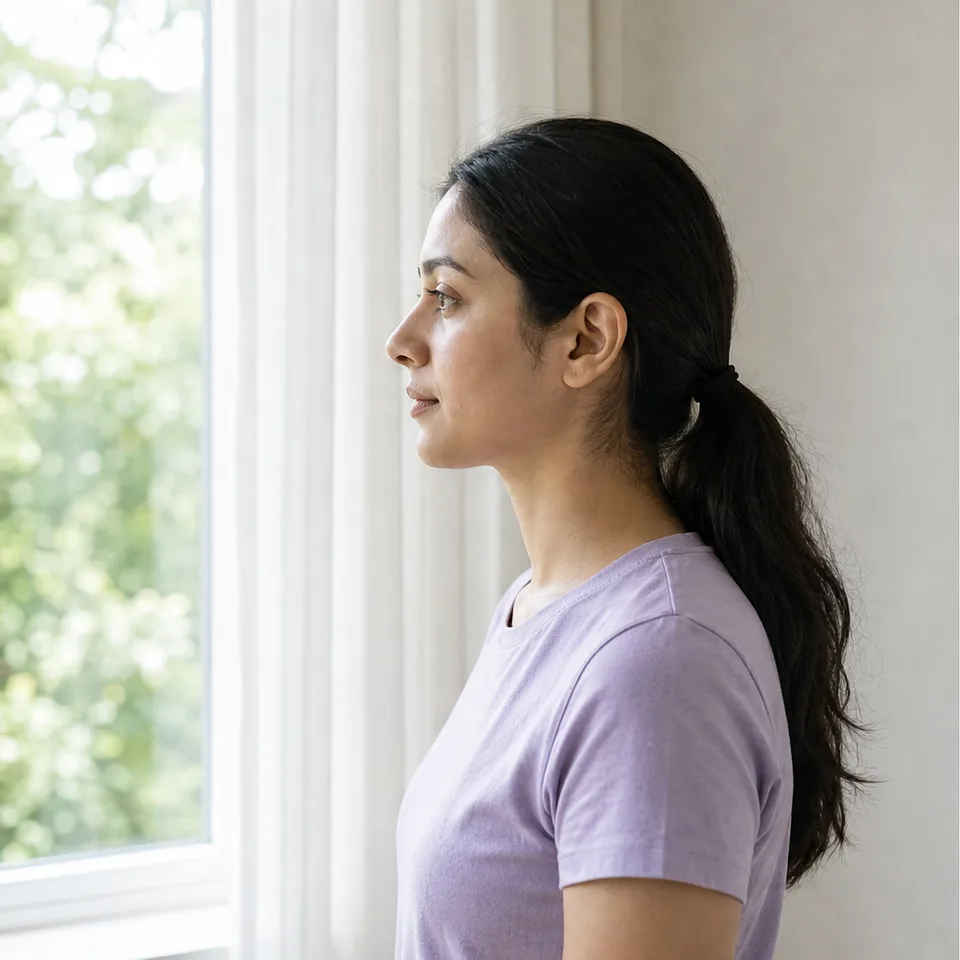
Light
Stand facing a window in daytime so the light falls evenly on your face. Switch off side lamps — they cast shadows on the face and the wall behind you.
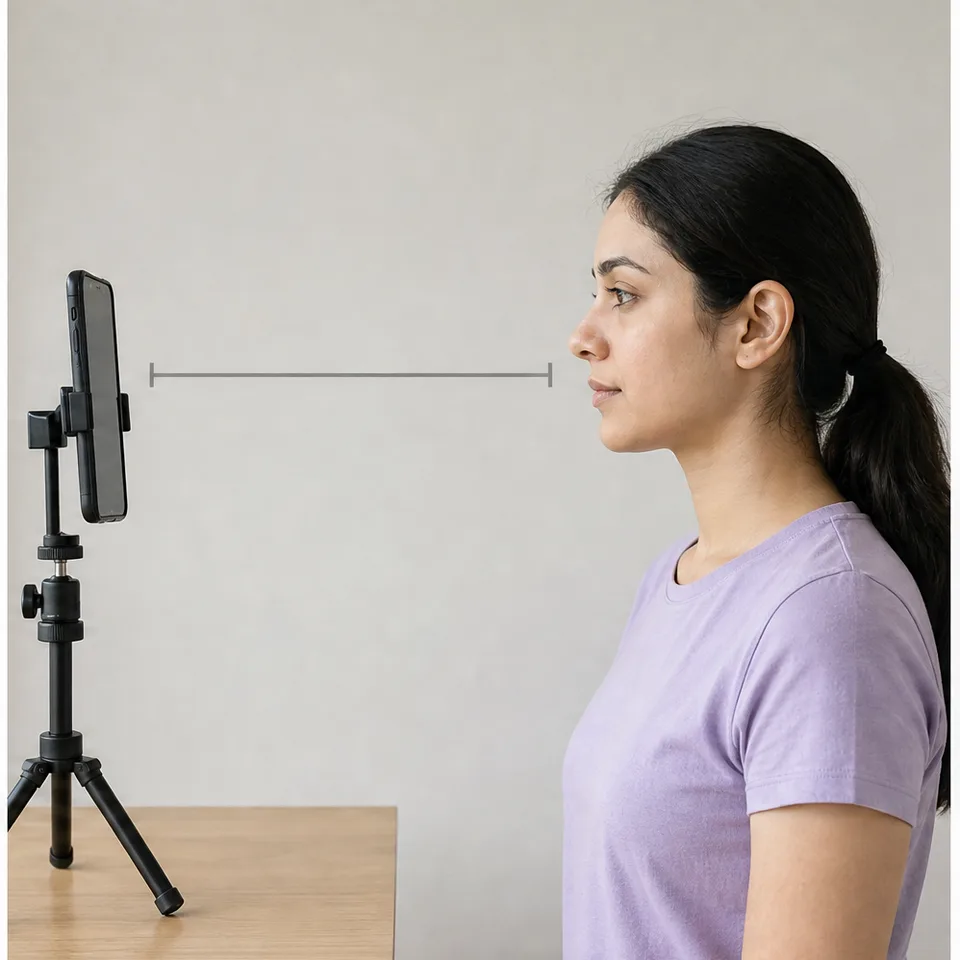
Distance
Keep the phone about 50 cm from your face, at eye level. Closer than that, the lens distorts the nose and forehead. Use the timer, a tripod or ask someone to help.
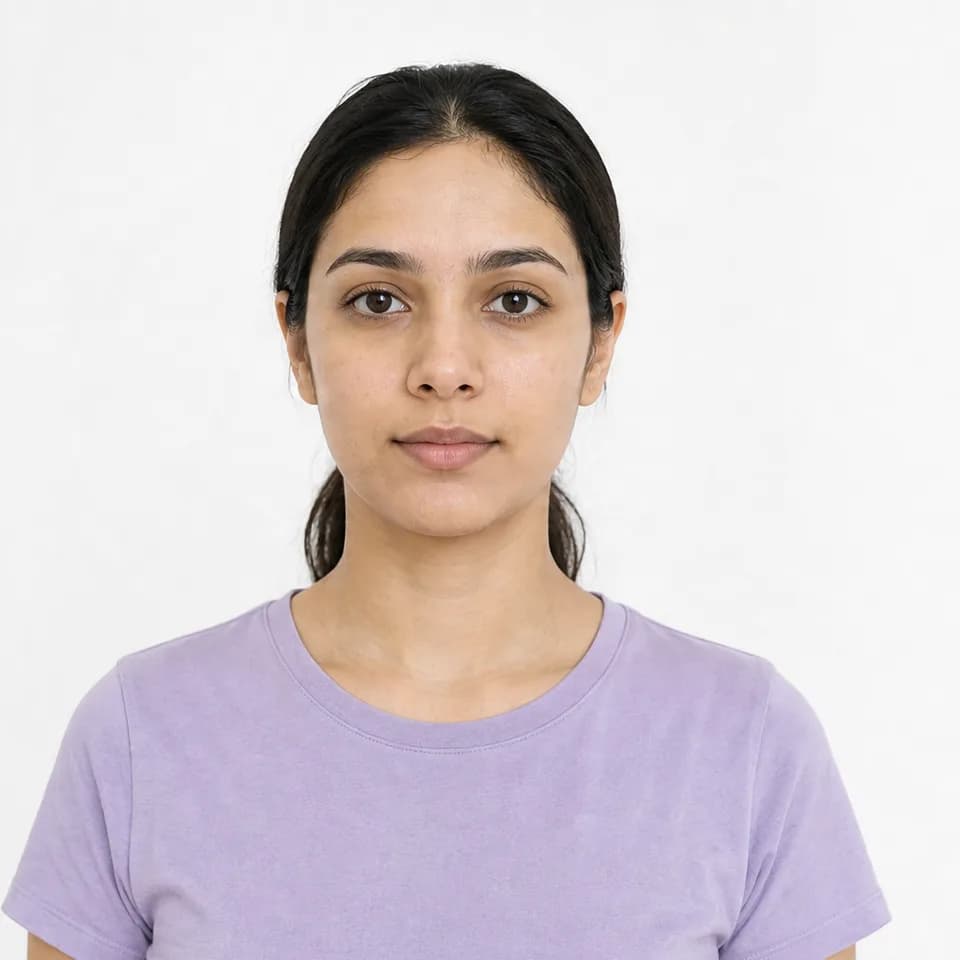
Pose
Look straight into the lens with a neutral expression and closed mouth. Shoulders square, head not tilted, hair off the face so both eyebrows are visible.
Good to know
- Glasses
- Clear glasses are allowed if the eyes, especially the pupils, are clearly visible: no frames over the eyes and no glare on the lenses. Tinted lenses are accepted only for a visual impairment. Taking the glasses off is the simplest way to avoid glare.
- Headwear
- Not allowed, except for religious reasons. Even then it must not cover or distort the oval of the face, and you attach a statement that you belong to a religious community.
- Hair and ears
- Ears may be covered by hair — you do not have to tuck it back. What matters is that your hair does not fall over your eyes, eyebrows, or the outline of your face.
Photos That Pass the MOS Upload but Get Sent Back
Each example below passes the technical checks on size and format, but an officer may still ask you for a new photo. One fault can be enough.
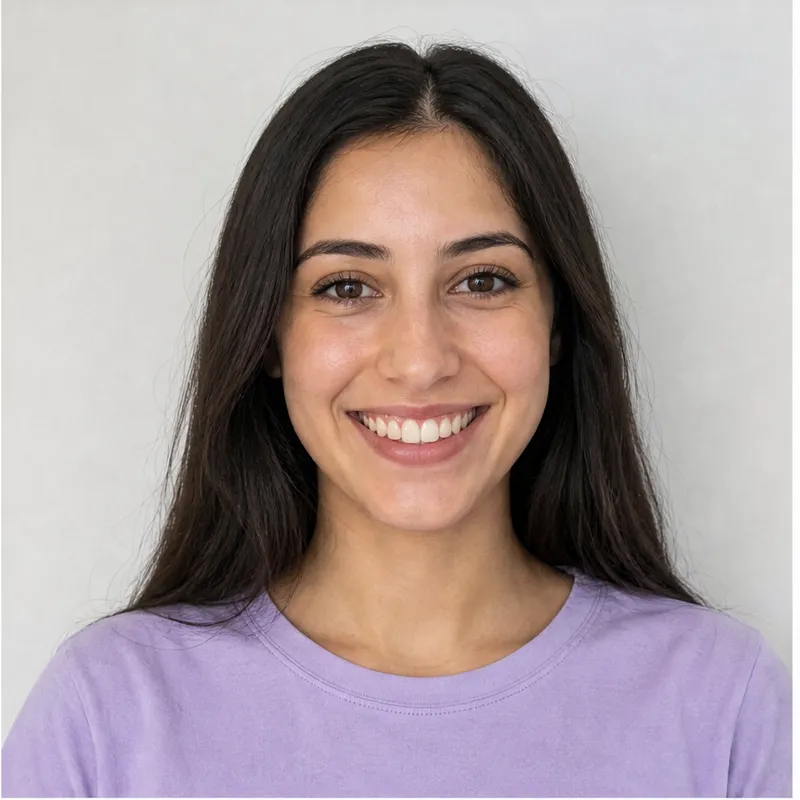
Smiling, teeth showing
The rules require a natural expression with the mouth closed. A broad smile with visible teeth does not meet them.
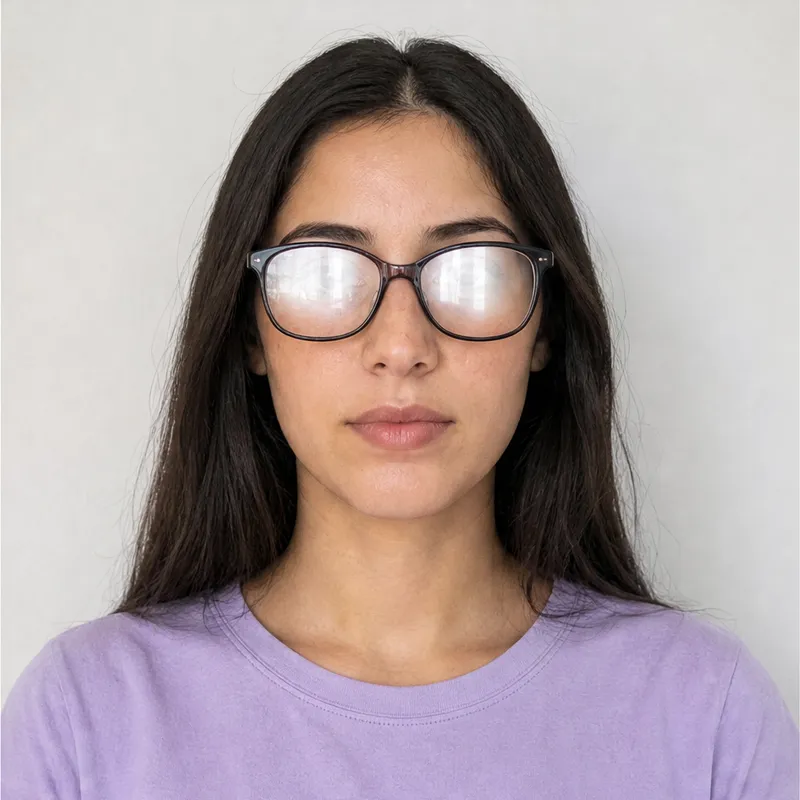
Glare on glasses
The eyes must be clearly visible, and reflections hide them even behind thin frames. Take the glasses off or remove the glare.
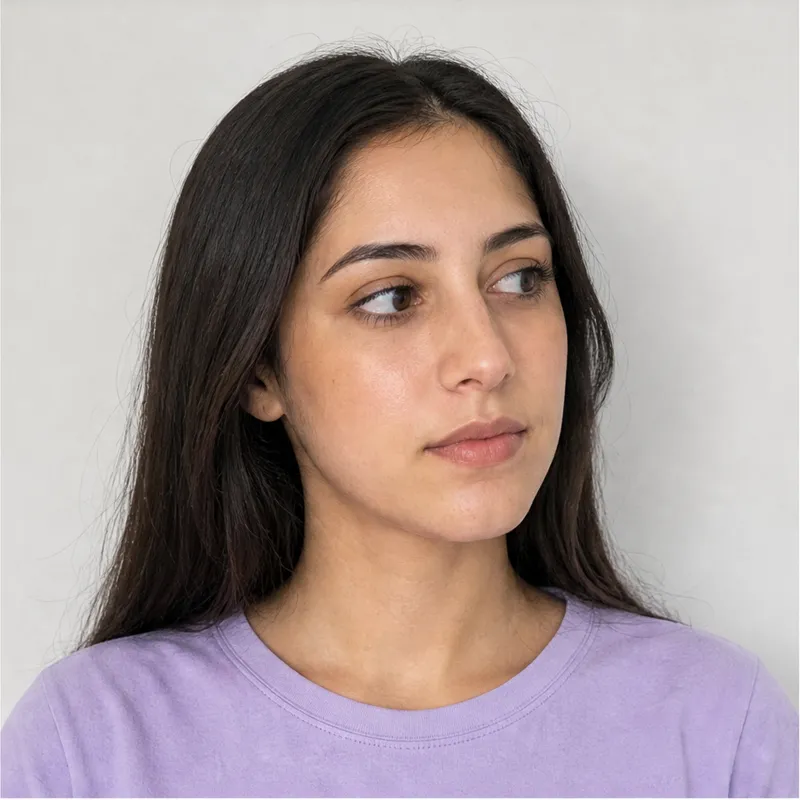
Tilted head, looking away
The face must be straight to the camera with both eyes on the lens. Any tilt or turn changes the biometric proportions.
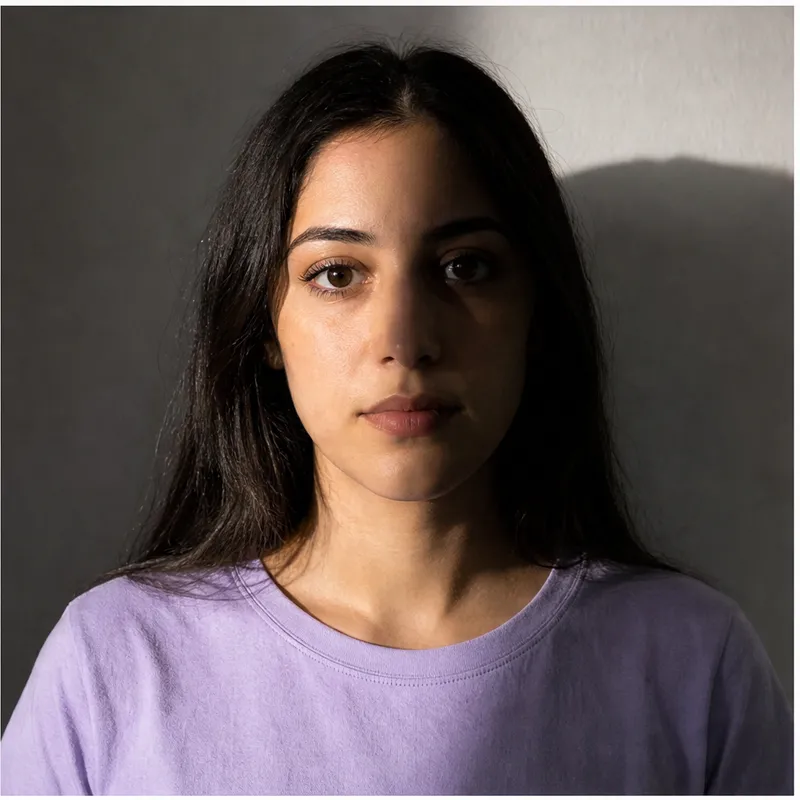
Shadows and uneven light
A lamp from one side leaves half the face dark and throws a shadow on the wall. An officer sees this as an uneven background.
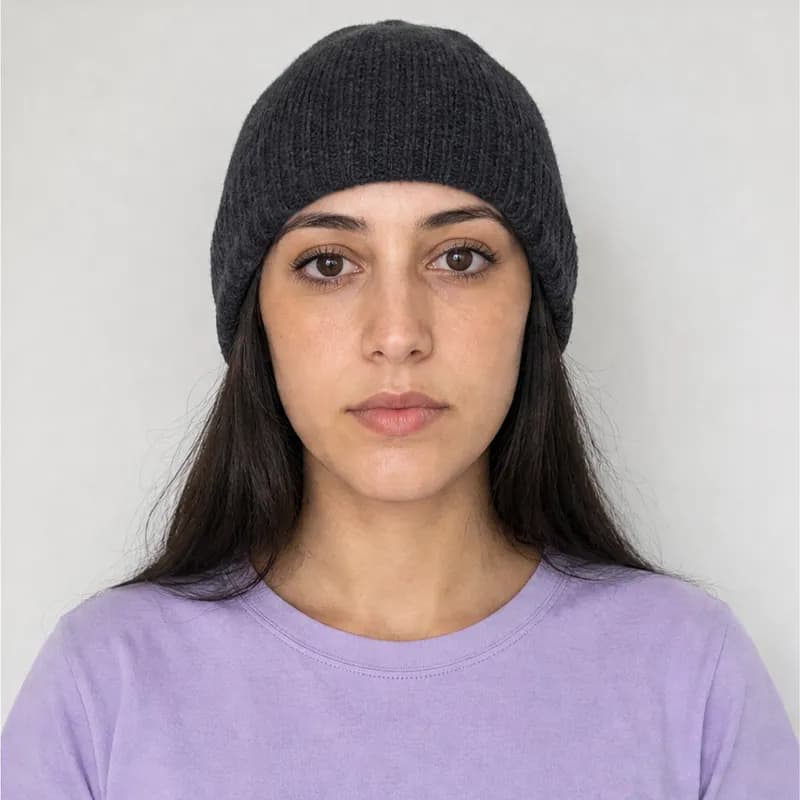
Headwear
Hats, caps and hoods are not allowed. The only exception is religious headwear that leaves the whole face visible.
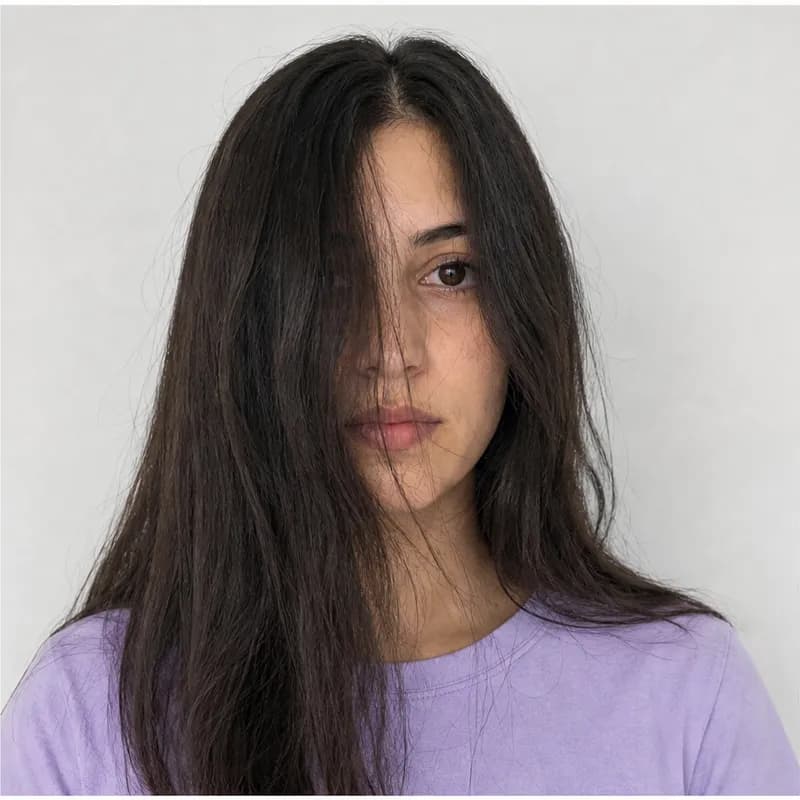
Hair over the face
Hair across the forehead or an eye hides part of the face outline and the eyebrows. Pin it back or tuck it behind the ears.
Why Use Our MOS Photo Cropper
A dedicated tool for a single document: the Polish karta pobytu photo for the MOS portal.
At home, from your phone
No photo studio and no queue at the office. Any clear photo taken in your room is enough.
Ready in about a minute
Upload, check the preview, download. Framing, white background, resizing and conversion to JPG happen automatically.
Encrypted and private
The photo travels to our server over an encrypted connection and is stored privately. Your result page is reachable for 24 hours.
Exact MOS format
684×883 px, JPG, under 2.5 MB — the technical checks MOS runs at upload are handled for you.
Articles & guides
Step-by-step guides for karta pobytu, CUKR and the MOS 2.0 portal.
- MOS 2.0 photo requirements: 684×883 px, JPG, max 2.5 MB — and why uploads get rejected (2026)
- How to make a 684 × 883 px photo for MOS (fixing the upload error)
- CUKR card photo: 2026 requirements (684×883 px, JPG) and how to take it at home
- Can hair go outside the frame in a residence card photo? What the MOS rules say
- CUKR card for Ukrainians in Poland: step-by-step guide and what to prepare
- Karta pobytu photo at home: 5 mistakes that cause MOS 2.0 to reject the upload
- Profil Zaufany for MOS 2.0: what it is, how to set it up, and why you need it for CUKR
- Complete document checklist for MOS 2.0: what to prepare before you submit
FAQ: Photos for Documents in Poland (MOS, Karta Pobytu)
mosfoto is a technical tool, not legal advice. The Service is not affiliated with the MOS portal, the Office for Foreigners (Urząd do Spraw Cudzoziemców) or any other government body. We do not provide legal advice and do not guarantee that your photo will be accepted — the final decision always rests with the official reviewing your application. Before submitting, verify the photo against the current official requirements yourself and at your own responsibility.
The photo is sent to our server over an encrypted connection and stored privately; your result page is reachable for 24 hours. We use product analytics and session recording (PostHog, EU) to improve the tool — see the Privacy Policy for full details.